01 · BROWSER-BASED
Draw once. Plan, elevations and 3D come with it.
Open a tab and start drawing. Every change on the plan shows up in the elevations and the 3D view straight away, with real door styles, hardware and finishes.


For kitchen dealers, contractors and designers.
Free during early access.
Later $99 per license a month, or $999 a year.


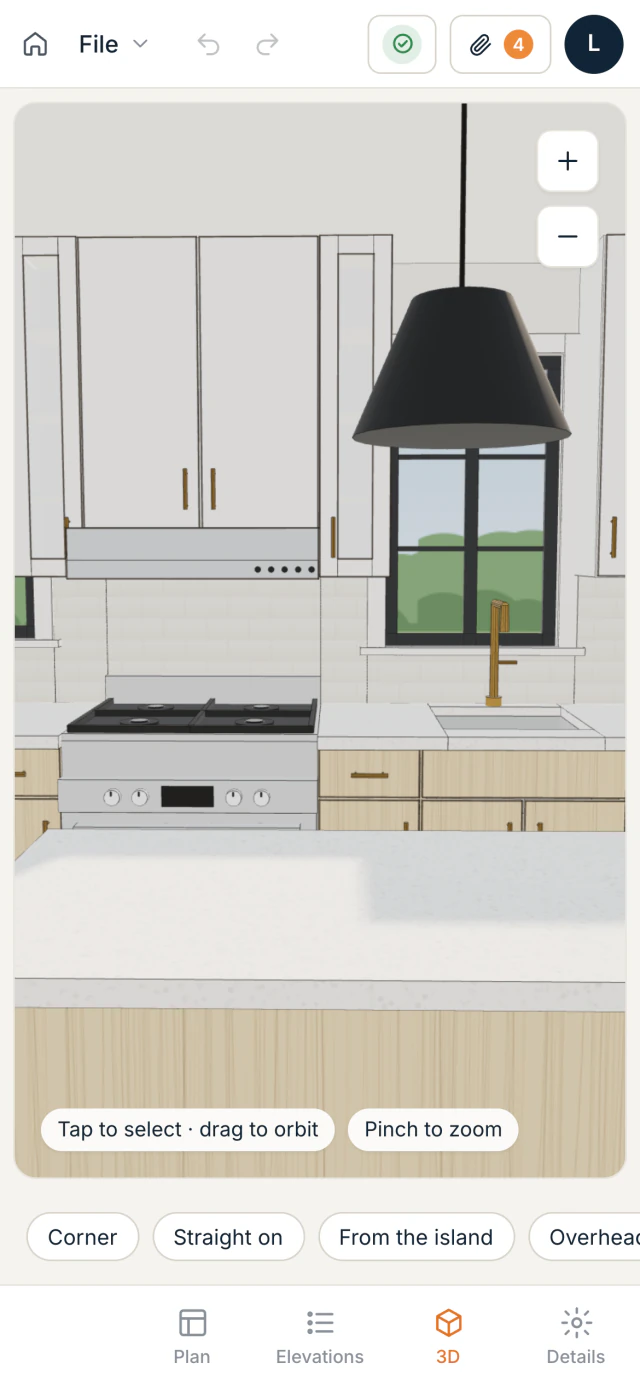
Twelve things ToeKick does, shown in the real program.
Open a tab and start drawing. Every change on the plan shows up in the elevations and the 3D view straight away, with real door styles, hardware and finishes.
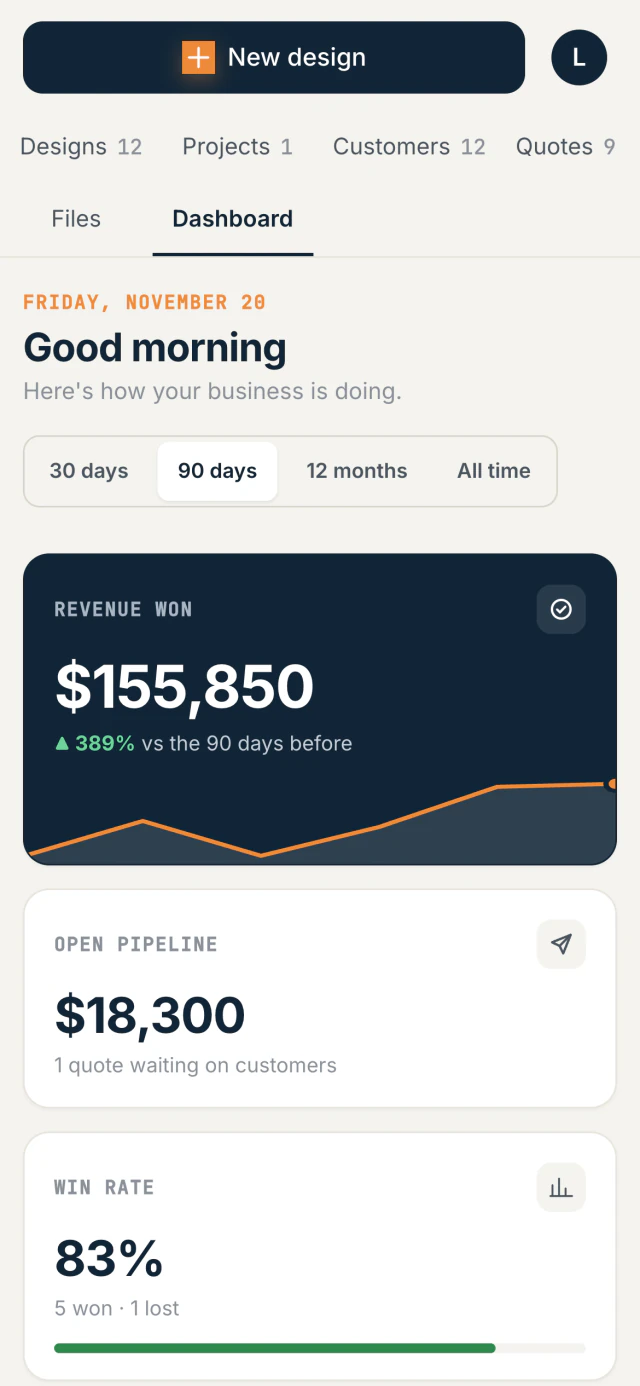
Check a measurement at the job site, show the 3D across the kitchen table, or see how the month is going. Same designs, same account, built for a small screen.
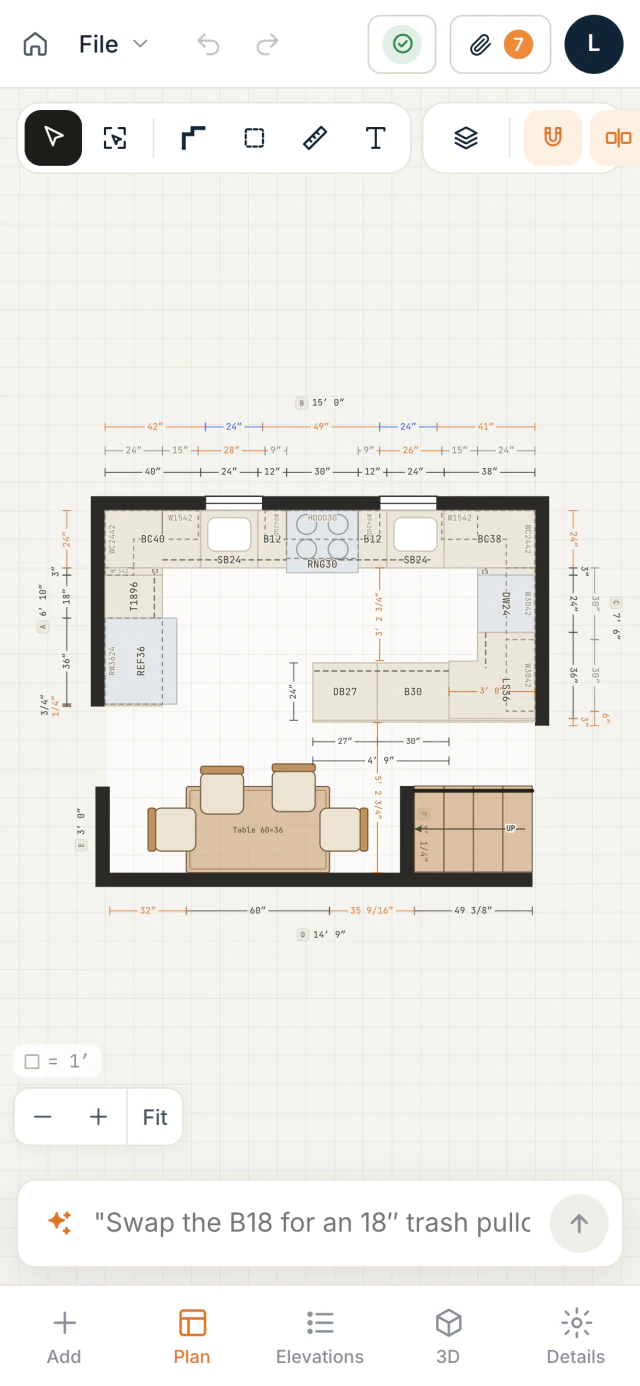
Designs live in the cloud, not on one computer. Start in the showroom, pick up on a laptop at home. Search by customer or project, and switch between cards and a list.


Every cabinet is already a line with its code, size and price. Set markup, discount, sales tax and deposit, choose what the customer sees, and add the floor plan and 3D pages.

Customers get the quote, the AI photos, the floor plan and a 3D view they can turn themselves, on any device. No app, no account.


Customers draw or type their signature right on the quote link. You get a signed quote with a signature certificate: name, email, time, device and a fingerprint of the exact quote they saw.


Make a view-only link for a contractor, an installer or an architect. Tick what they see: floor plan, elevations, 3D, renderings, pricing or the cabinet list. They can look, not change.


Move each design from Lead to Designing, Quote sent, Approved, Ordered and Installed. The dashboard shows revenue won, open pipeline, win rate and who you're waiting on.


Drop in measurements, old floor plans and photos, or take a photo from your phone. Notes stay on the design, so whoever opens it next knows the pantry has to fit the stand mixer.


Pick a camera, press Make AI photo, and get a photo-real picture of the customer's kitchen with the cabinets, counters and hardware you chose. Drag the handle to compare.

 3D viewAI photo
Upload the Excel or CSV price list. ToeKick guesses each column, you check it, and the catalog is ready, with your discount, per-cabinet charge and markup. Or start from standard sizes.


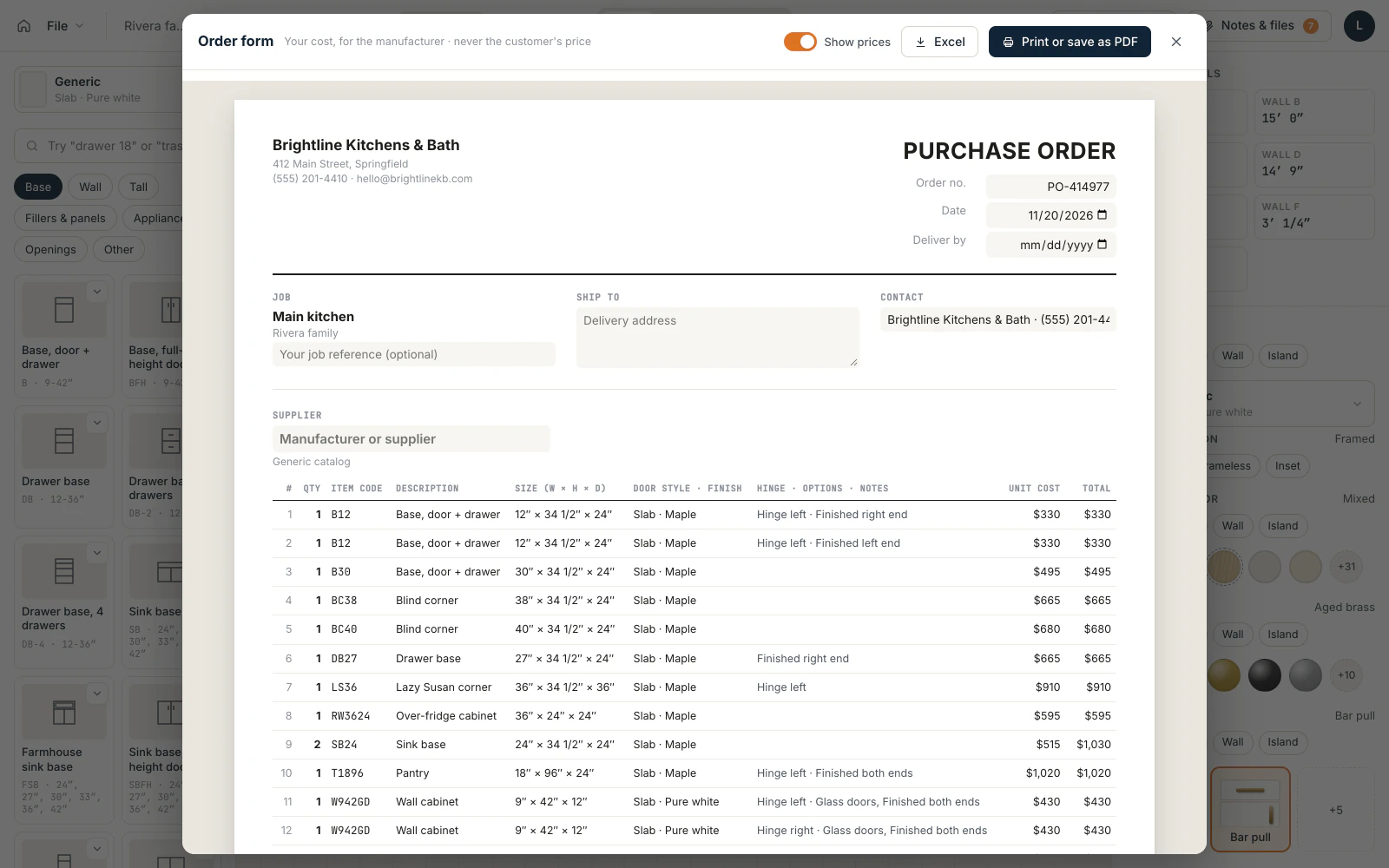
File › Order form turns the design into a purchase order for the manufacturer: codes, sizes, door style, hinges and finished ends, at your cost, never the customer's price.
ToeKick is in early access. Use every feature free now, and help shape what comes next. This is the price once early access ends.
Works out to $83 a month. Save $189 a year.
$999 a year
Your customers never need an account to view or sign a quote.
Kitchen design software questions we hear most from dealers and designers.
ToeKick is kitchen design software that runs in your web browser. You draw the room, lay out cabinets and appliances, and get the floor plan, wall elevations and a 3D view from that one drawing. Then you price the kitchen from your manufacturers' catalogs, send a quote your customer can sign online, and create the purchase order.
Kitchen and bath dealers, cabinet showrooms, contractors, remodelers and independent kitchen designers: anyone who designs kitchens and needs to quote and sell them.
ToeKick is free during early access, with every feature and no credit card. After early access it will be $99 per license a month, or $999 a year. View-only teammates are always free.
No. ToeKick runs in Chrome, Safari or Edge on a Mac or Windows computer, an iPad or a phone. Your designs save to the cloud as you work, so you can pick up on any device.
Yes. You can draw rooms, place cabinets, turn the 3D view and show customers their kitchen on an iPad or a phone, as well as on a computer.
Yes. Upload your manufacturer's price list from an Excel or CSV spreadsheet, or build the catalog by hand. ToeKick reads the SKUs, sizes and price levels and prices every cabinet in your designs from it, with your discount and markup. A Generic catalog is included to start with.
Yes. You send a quote link; your customer opens the quote, the floor plan, elevations, renderings and a 3D view they can turn, and signs it on their phone or computer. ToeKick records the signature with a certificate and emails both of you a signed copy.
Pick a camera angle in the 3D view and press Make AI photo. In under a minute ToeKick turns the view into a photo-real picture of the kitchen with the cabinets, counters and hardware you chose, ready to show the customer.
If you want kitchen design and quoting without installing software on each computer, yes. ToeKick covers the layout, elevations, 3D, manufacturer pricing, quotes, e-signatures and purchase orders in the browser, on any device.
Something else? Contact us.
Open a tab, draw the room, send the quote.
We use cookies to see how the site is used and to measure our ads. Privacy policy